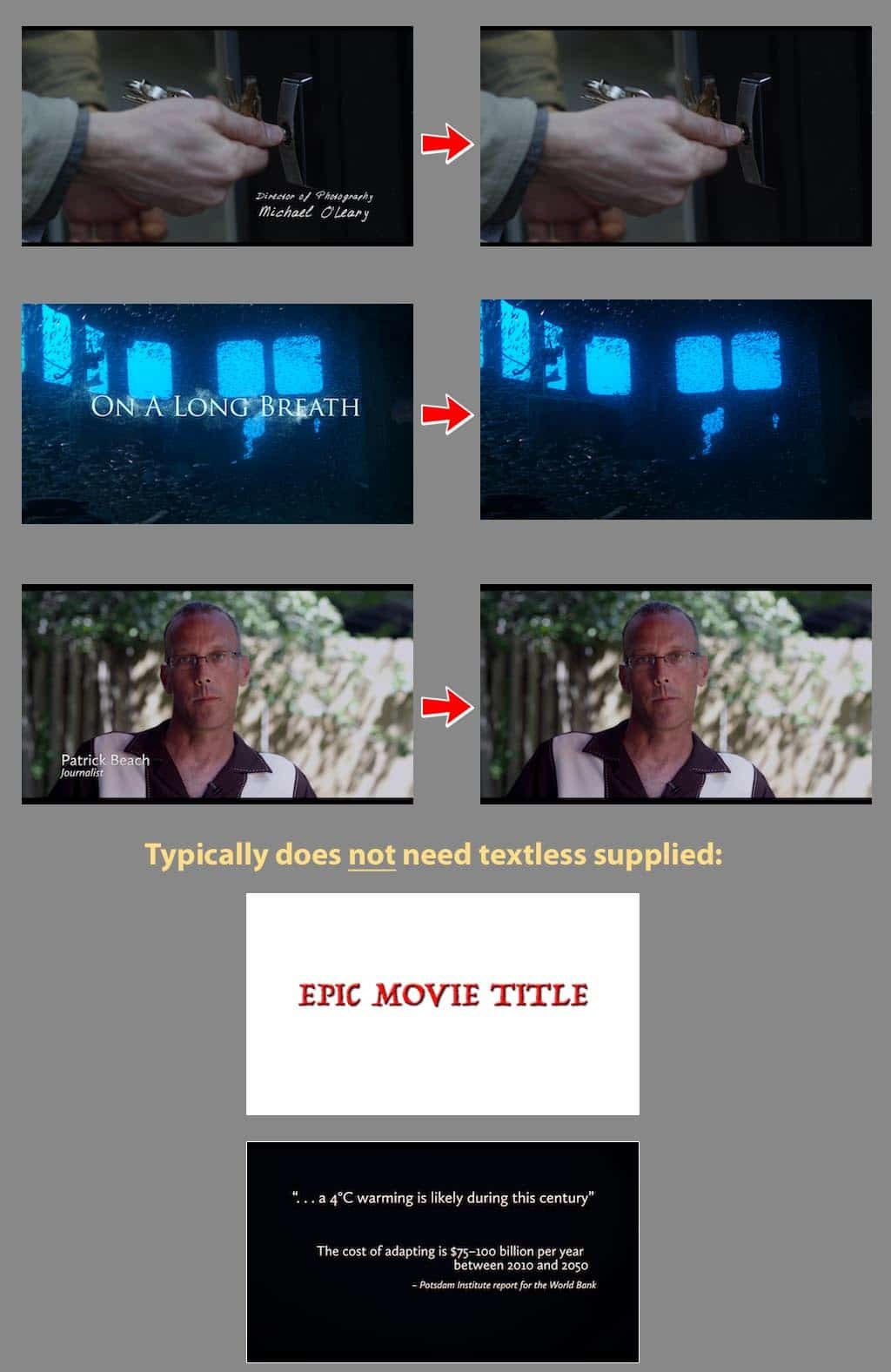
Textless elements (also simply referred to as “textless”) are textless versions of shots that contain text over active video (i.e. text added during post-production). In other words, it is those shots you’ve added text to, just with the added text removed. Examples of textless shots/elements include the main titles/credits, end titles/credits, forced narratives, burnt-in subtitles, and lower thirds. Textless elements are generally not required for text placed over solid colors (like text over white or text over black). Textless elements are also commonly referred to as:
- Clean Covers
- Textless Backgrounds
- Textless Plates
- Textless Material
Textless elements are usually required for both the feature and the trailer. They’re mainly used to localize or re-text a film for foreign, non-English speaking destinations. Textless elements are also commonly used in the design of DVD, Blu-ray, and VOD menus, and also used in marketing and publicity materials.
Below are some examples of texted shots that would and would not require textless elements to cover.